
Adding an AI chatbot to your business website can make it easier for visitors to find information, ask questions and get support. Instead of waiting for someone to reply, visitors can interact with a chatbot directly on your website.
If you are wondering how to add an AI chatbot to a website, the process is easier when you follow the right steps. You need to understand your business requirements, prepare useful information, choose an AI chatbot solution and connect it to your website.
This guide explains the complete process in simple language. It is suitable for small business owners, startups and website administrators who want to improve customer communication.
1. Understand What an AI Chatbot Does
An AI chatbot is a software application that communicates with website visitors through messages. It uses artificial intelligence and language processing to understand questions and generate relevant responses.
Unlike a basic chatbot that follows fixed buttons and predefined answers, an AI chatbot can understand different ways of asking the same question.
For example, a visitor might ask:
- What services do you offer?
- Can you tell me about your services?
- What solutions are available for my business?
A properly configured chatbot can understand that these questions have a similar purpose and provide an appropriate answer.
Why should a business website have an AI chatbot?
A website chatbot can help your business in several ways:
- Answer common questions: Provide information about services, business hours and general requirements.
- Support website visitors: Help people find the information they need.
- Collect inquiries: Ask visitors for their name, email address and requirements when appropriate.
- Generate leads: Help interested visitors take the next step.
- Reduce repetitive work: Handle common questions so your team can focus on more complex requests.
However, an AI chatbot is not a replacement for every human interaction. Some questions require a real person, especially when a visitor has a specific problem or needs detailed assistance.
2. Decide What Your Chatbot Should Do
Before installing an AI chatbot, decide why your business needs one.
A common mistake is adding a chatbot without giving it a clear purpose. This can result in confusing answers and unnecessary conversations.
Start by identifying the questions your customers ask most often.
For example, a small business owner could create a chatbot that answers questions about available services, working hours, contact information and appointment requests.
Choose your chatbot's main responsibilities
Consider these common use cases:
- Customer support: Answer frequently asked questions about your products or services.
- Lead collection: Collect contact details from visitors who want more information.
- Product guidance: Help customers understand available products and features.
- Appointment assistance: Explain booking options and collect appointment requests.
- General information: Share business details, policies and service descriptions.
You do not need to build every feature immediately. Start with two or three important responsibilities.
A focused chatbot is usually easier to configure, test and improve than one designed to handle every possible task from the beginning.
3. Choose the Right AI Chatbot Solution
The next step is selecting a chatbot solution that matches your website and business requirements.
There are different ways to add an AI chatbot. Your choice depends on your technical skills, budget, required features and existing website platform.
Option 1: Use a ready-made chatbot platform
Ready-made chatbot platforms allow businesses to create chatbots without building everything from scratch.
Many platforms provide visual configuration tools, conversation settings and website installation options.
This approach may work well if you need basic customer support and have limited development resources.
However, check whether the platform supports your required integrations, data controls and customization options.
Option 2: Use an AI API
An AI API allows developers to connect an AI model to a custom website application.
For example, a developer can build a chatbot using PHP, Laravel or another backend technology and connect it to an AI service.
This approach provides more control over:
- Chatbot appearance and behavior.
- Business-specific instructions.
- Customer conversation management.
- Database connections.
- Website and CRM integrations.
- User authentication and access controls.
You can explore AI chatbot development services if your business requires a customized solution.
Option 3: Build a fully customized chatbot
A customized chatbot is useful when your business needs more than basic question-and-answer functionality.
For example, an online store might need a chatbot that answers product questions, checks order information and guides customers through different processes.
A custom solution can connect multiple systems through APIs, databases and backend applications.
You can also explore web application development for more advanced business integrations.
4. Prepare Your Business Information
Your chatbot needs reliable information to answer customer questions correctly.
An AI model alone does not automatically know your business services, policies, product details or internal processes.
You must provide relevant business information and configure how the chatbot should use it.
What information should you prepare?
Create a simple knowledge base containing:
- Business name and general introduction.
- Services and product descriptions.
- Frequently asked questions.
- Business hours and contact details.
- Service availability.
- Appointment or inquiry procedures.
- Important customer support instructions.
Keep this information accurate and organized.
For example, if your company offers website development, the chatbot should understand the types of websites you develop, the information needed from customers and how visitors can request a consultation.
Connect a knowledge base to your chatbot
A knowledge base is a collection of information that helps the chatbot answer questions about your business.
Depending on your technical setup, information can come from documents, website pages, databases or other approved sources.
For larger knowledge bases, developers may use retrieval-augmented generation (RAG). This approach retrieves relevant information before generating an answer.
It helps the chatbot respond using your business content instead of relying only on its general training knowledge.
5. Integrate the Chatbot Into Your Website
Once your chatbot is configured, you need to connect it to your website.
The exact process depends on the chatbot platform and your website technology.
Basic website integration process
A typical integration involves these steps:
- Create or configure your chatbot using your selected platform or AI API.
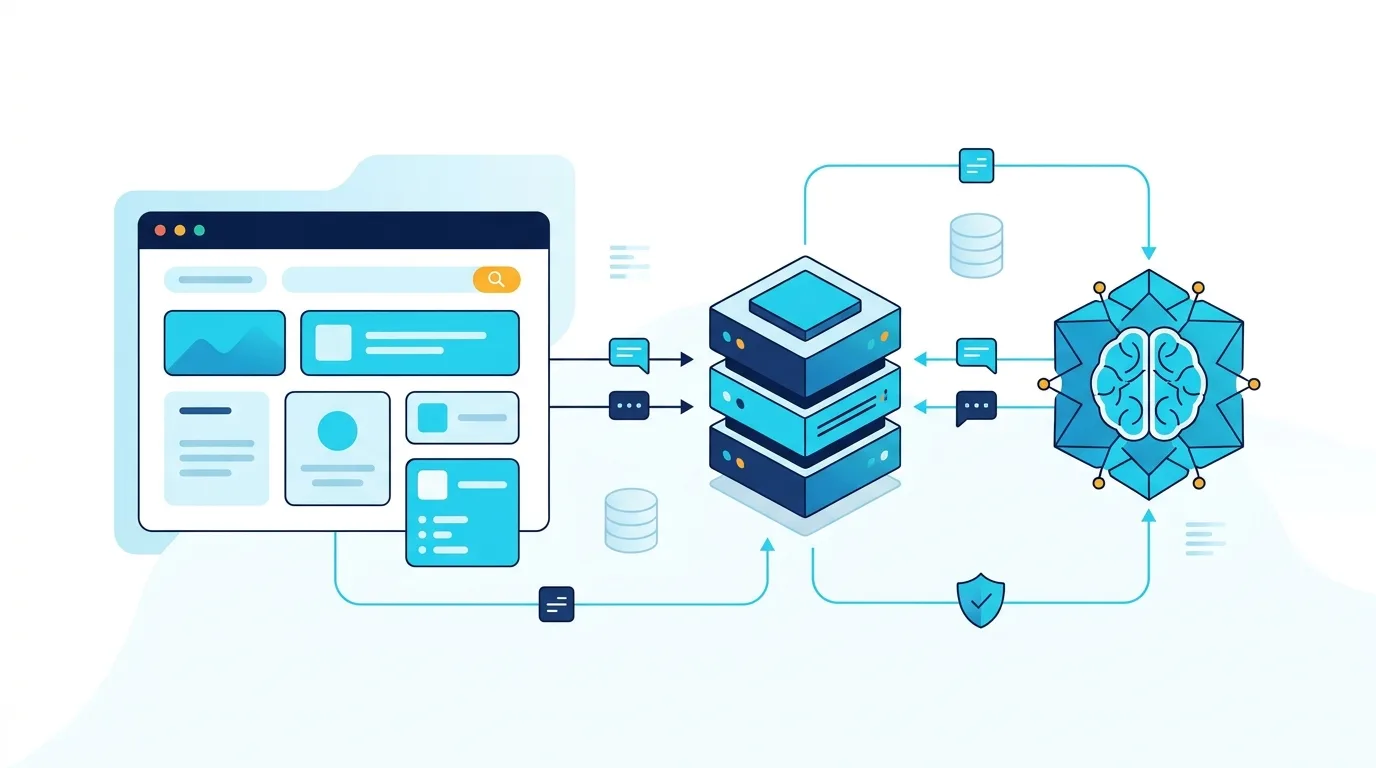
- Set up the backend connection to communicate with the AI service.
- Create a chat interface where visitors can send messages.
- Connect the interface to your backend using a secure API endpoint.
- Add the chatbot widget to your website pages.
- Test the chatbot on desktop and mobile devices.
Some chatbot platforms provide an installation script that you can add to your website. Custom solutions may require a developer to create the frontend chat window and backend communication system.
For example, a PHP website can send visitor messages to its backend. The backend can validate the request, communicate with the AI service and return the generated response.
Important security point: Never place private API keys directly inside frontend JavaScript or publicly accessible website files. Keep sensitive credentials on the server and use secure communication.
You should also consider rate limits, input validation, error handling and protection against spam.
6. Test Your AI Chatbot Before Launching
Do not publish your chatbot without testing it.
Even a well-configured chatbot can misunderstand questions, provide incomplete information or fail when an external service becomes unavailable.
Testing helps you identify these problems before customers experience them.
Test different types of questions
Try asking questions in different ways.
For example:
- What services do you provide?
- Tell me about your available services.
- I need help choosing a service.
- How can I contact your team?
- Can I speak to a human?
Also test questions that are unrelated to your business. The chatbot should understand its limitations rather than inventing answers.
Check these important areas
- Accuracy: Does the chatbot provide correct business information?
- Response quality: Are answers clear and easy to understand?
- Mobile experience: Does the chat window work properly on smaller screens?
- Response handling: What happens when the AI service is unavailable?
- Privacy: Does the chatbot collect only the information it needs?
- Human support: Can visitors contact a real person when necessary?
Accessibility also matters. Make sure the chat interface can be used with a keyboard and that important controls have clear labels. The W3C Web Accessibility Initiative provides useful accessibility guidance.
7. Improve Your Chatbot After Launch
Launching your chatbot is not the final step. You should review its performance and improve it as your business needs change.
Start by monitoring common customer questions and identifying conversations where the chatbot could not provide a useful answer.
You can use this information to improve your knowledge base and chatbot instructions.
What should you monitor?
Consider tracking:
- Total conversations.
- Frequently asked questions.
- Unanswered questions.
- Customer requests for human support.
- Successful inquiry submissions.
- Common technical errors.
Avoid measuring success only by the number of conversations. A chatbot should help visitors achieve useful outcomes.
For example, if visitors frequently ask about a service but do not submit inquiries, review the answers and make the next steps clearer.
You should also update your chatbot whenever your business changes its services, contact details or operating procedures.
Common mistakes to avoid
Keep these mistakes in mind:
- Adding a chatbot without a clear business purpose.
- Providing outdated or incomplete information.
- Allowing the chatbot to invent answers.
- Making it difficult for customers to contact a human.
- Ignoring mobile users.
- Exposing private API credentials.
- Collecting unnecessary personal information.
- Never reviewing chatbot performance after launch.
A simple chatbot with accurate information and a clear purpose can be more useful than a complicated system with too many features.
Key Takeaways
- An AI chatbot helps website visitors get information and support through automated conversations.
- Start by identifying the most common questions your customers ask.
- Choose a chatbot platform, AI API or customized development approach based on your requirements.
- Prepare accurate business information before connecting the chatbot.
- Test security, response quality and mobile usability before launch.
- Monitor conversations regularly and improve the chatbot over time.
FAQ
1. Can I add an AI chatbot to my website without coding?
Yes. Some chatbot platforms provide ready-made website widgets and visual configuration tools. You can connect these tools without developing the complete system yourself. However, advanced features such as database connections, custom workflows and CRM integrations may require programming.
2. What do I need to add an AI chatbot to a website?
You generally need a website, a chatbot platform or AI API, business information and a way to display the chat interface. For custom development, you may also need backend programming, database storage and secure API integration. Your exact requirements depend on the features you want.
3. Can an AI chatbot answer questions about my business?
Yes. You can provide business information through documents, website content, databases or a connected knowledge base. The chatbot can use this information to answer relevant questions. However, you should test its responses and update the information whenever your business details change.
4. Is an AI chatbot suitable for a small business?
Yes. Small businesses can use chatbots to answer common questions, guide visitors and collect customer inquiries. The best starting point is a simple chatbot focused on a few important tasks. You can add more features as your customer support needs grow.
5. Can an AI chatbot connect to my existing website?
Yes. AI chatbots can be integrated into many websites, including PHP, Laravel, WordPress and custom-built applications. Integration methods vary depending on your website and chatbot solution. A custom integration can also connect the chatbot to databases, customer management systems and other business tools.
If you want to add an AI chatbot to your business website, 03010138677 (/contact) to discuss a solution that matches your website, customer support needs and business goals.